
Check the payment details before choosing a casino
 Available in US
Paysafecard availability, deposit amounts and casino suitability are separate checks, and a payment option alone cannot confirm the whole picture.

Using Paysafecard for Online Casino Payments
Paysafecard can be part of the conversation when you are looking at online casino payments, but its name on a page is not a recommendation to use a particular site. I would treat it as one payment method to investigate, not as a shortcut to deciding whether an online casino is suitable. Those are separate decisions, and blending them together is an easy way to miss the details that matter.
The first distinction is between a payment method and the service receiving the payment. A cashier may display a method, but that alone says little about the rest of the account, the operator’s conditions or what happens if a payment needs attention. Likewise, a site’s general payment information may not tell you what is available to every visitor. Keep the method in view, but don’t let its familiar name do the checking for you.
That matters in New Zealand, where the legal setting for online casino services is changing. The Online Casino Gambling Act 2026 took effect on 1 May 2026 and introduced a domestic licensing framework. During the transition, providers that were already serving people in New Zealand before that date may continue until 1 December 2026, subject to the Act’s transitional provisions. The full licensing regime is expected to be operational in 2027. A payment option does not tell you where an operator stands under those rules.
If you’re looking for a New Zealand casino that accepts paysafecard, this list offers a starting point for checking the options. Review each operator’s payment details and terms before deciding whether it suits you.
-
Lamabet
- Payout speed
- 1-3 business days
Lamabet lists payouts as taking 1–3 business days. Check its payment information to see whether paysafecard is available for your needs.
-
Ricky Casino
- License
- Tobique Gaming Commission, licence no. 0000002
Ricky Casino lists a licence from the Tobique Gaming Commission, licence no. 0000002. Check its payment information to confirm whether paysafecard is available.
-
7Bit Casino
- License
- Tobique Gaming Commission, licence no. 0000091
7Bit Casino lists a licence from the Tobique Gaming Commission, licence no. 0000091. Check its payment information to confirm whether paysafecard is available.
-
BitStarz
- License
- Curaçao Gaming Authority, licence no. OGL/2024/165/0185
BitStarz lists a Curaçao Gaming Authority licence, no. OGL/2024/165/0185. Check its payment information to confirm whether paysafecard is available.
-
Zotabet
- License
- 07017519840
- Payout speed
- 1-3 business days
Zotabet lists licence no. 07017519840 and a payout speed of 1–3 business days. Check its payment information to confirm whether paysafecard is available.
-
Neospin
- License
- Tobique Gaming Commission, licence no. 0000064
Neospin lists a licence from the Tobique Gaming Commission, licence no. 0000064. Check its payment information to confirm whether paysafecard is available.
-
Play Grand
- License
- Malta Gaming Authority, licence no. MGA/B2C/370/2017
Play Grand lists a Malta Gaming Authority licence, no. MGA/B2C/370/2017. Check its payment information to confirm whether paysafecard is available.
-
Wintino
- Payout speed
- 1-3 business days
Wintino lists payouts as taking 1–3 business days. Check its payment information to see whether paysafecard is available for your needs.
-
N1 Casino
- License
- Malta Gaming Authority, licence no. MGA/B2C/394/2017
N1 Casino lists a Malta Gaming Authority licence, no. MGA/B2C/394/2017. Check its payment information to confirm whether paysafecard is available.
So when you encounter Paysafecard in connection with online casino payments, pause before reading it as a sign of approval, safety or local status. It is a payment label, not a verdict on the operator. I would keep those questions separate: what the payment method is, what the casino says about using it, and whether the service is operating within the legal position that applies at the time. None can be answered merely by spotting a logo.
The wording around payment methods can also be broad. A page may discuss a method generally without confirming that it is available for a particular account or transaction. It may present payment information alongside other material, which can make a general statement feel more specific than it is. Read the wording as written. If it does not clearly apply to the service and situation you are considering, don’t fill the gap with an assumption.
This is especially worth remembering when you are browsing on a phone. A compact screen can make payment details feel secondary, or leave you with only a short description rather than the full terms. I would not treat a logo, a cropped panel or a brief mention as the whole story. Find the operator’s own payment information and read the relevant wording in context. If that information is unclear, the sensible response is to leave the question unresolved rather than guess.

There is no need to turn this into a comparison of every possible payment route. For this topic, the useful starting point is narrower: understand that Paysafecard is being discussed as a payment option, then assess the operator’s information separately. Whether a particular site offers it, which conditions apply, how a deposit amount is handled, and whether it connects with bonuses are distinct matters. They need their own checks; a general mention of Paysafecard settles none of them.
The same care applies to claims that make a site sound especially attractive. A payment method does not establish that a casino is among the “best”, nor does a page using that label prove that its payment information is current or complete. I would look for clear, operator-specific wording rather than rely on a slogan or an isolated reference. If key details are absent, don’t replace them with what you have seen elsewhere: another operator’s terms do not answer this operator’s question.
New Zealand’s transition makes timing part of the wider context, too. The legal framework is new, and the transitional period has a defined end. That does not mean a payment logo can tell you whether a provider is eligible to continue, or what its position will be later. Those are matters about the operator and the law, not the payment method. Keep them in separate boxes.
In short, approach Paysafecard as one detail in a larger decision, not as proof that a site is suitable or that a payment will work in a particular way. Check each claim against the operator’s own current information, and be willing to stop if the wording leaves you uncertain. A careful pause beats a confident guess.
What Paysafecard Does—and What It Doesn’t Tell You
When comparing PaysafeCard with Neteller, the key distinction is how the payment methods are described in relation to identity. A specialist review characterises PaysafeCard as allowing completely anonymous cash payments, while Neteller requires you to register an account. That is a meaningful difference, but it is not a complete account of what happens when you use either method with a casino.
“Anonymous cash payments” describes the payment characteristic being reported; it should not be stretched into a promise that every part of an online casino experience is anonymous. The phrase alone does not explain what information a casino may request from a customer, what checks it may carry out, or what records it keeps. It also does not establish that using PaysafeCard removes the need to identify yourself to the casino. Those are separate questions from whether a cash payment through the method is described as anonymous.
That distinction matters if you are looking at a PaysafeCard casino in NZ with privacy in mind. A payment method and the account you hold with a casino are not the same thing. The description of one does not automatically settle the privacy arrangements of the other. I would read a claim about anonymous payments narrowly: it tells you how that payment option is characterised, not everything you might be asked to provide elsewhere.

Neteller makes a useful contrast because its use involves account registration. If you choose it, you are not using the method on the basis of the stated anonymous-cash characteristic attached to PaysafeCard. But registration is only the point established by that comparison. It does not, by itself, tell you what information Neteller requests, how an operator handles customer details, or what privacy protections apply. Don’t fill those gaps with assumptions.
The difference can also be easy to misread in a casino context. A person searching for a Paysafe casino may be trying to find a payment route that does not require a Neteller account. That is a reasonable distinction to notice. It is not proof that a particular casino accepts PaysafeCard, or that its own account and verification requirements are reduced. The payment description and the casino’s rules answer different questions.
I’d keep the wording precise when assessing any privacy claim. “PaysafeCard allows anonymous cash payments” is the reported characteristic. “A casino account is anonymous because you paid that way” is a broader conclusion, and the first statement does not establish it. Likewise, Neteller’s account-registration requirement tells you that registration is part of using Neteller; it does not tell you everything about how the casino or payment provider manages personal information.
This is why a broad label such as “private” can be less useful than it sounds. It can refer to the payment itself, account registration, the casino’s customer checks, or the handling of personal information. Those are not interchangeable. When you see a casino PaysafeCard claim framed as a privacy benefit, look at what the claim actually refers to rather than treating one feature as a guarantee about the whole service.
Do
- Treat anonymous payment claims as characteristics of the method
- Read privacy claims narrowly
- Verify how the casino handles your personal data
Don't
- Assume a payment method makes the whole casino account anonymous
- Fill privacy gaps with assumptions
- Treat a "private" label as a guarantee for the whole service
There is no need to turn the comparison into a winner-and-loser verdict. If avoiding a Neteller account is your concern, the registration distinction is relevant. If you want to know whether a casino will ask for personal details, how it verifies a customer, or how it treats information, that comparison does not answer those questions. The fact that a payment is described as anonymous cannot settle them on its own.
For a Kiwi user, the practical takeaway is modest but clear: PaysafeCard is described as supporting anonymous cash payments, whereas Neteller requires account registration. Keep that statement attached to the payment method, not expanded into a promise about every interaction with a casino. Privacy claims deserve that sort of careful reading. No guesswork.
Checking the Deposit Amount Before You Pay
A small deposit can sound like an easy way to try a casino payment without committing much. The catch is that there is no reliable minimum Paysafecard deposit figure to apply across NZ casino sites. A number shown in a search result, an old review or a discussion about another operator does not tell you what the cashier will accept today.
I would treat the amount displayed by the casino as the useful figure, not a general claim about Paysafecard. The payment screen may set a minimum for that particular deposit, and the casino’s terms may explain how its cashier handles payments. Check both before choosing a voucher or entering a payment. If the amount you have available falls below the displayed minimum, the cashier may not let you continue.

That is a practical check, not a promise that every site sets its minimum in the same way. Payment rules can belong to the operator, the payment option, or the transaction being attempted. A figure copied from one casino is not a safe guide to another. Small print matters here; it tends to appear precisely where people stop reading.
Don’t treat a search result as a deposit limit
People often look for a casino that will accept a very small Paysafecard deposit. The wish is understandable: spend less while you work out whether the site suits you. But a search phrase naming a specific amount is not evidence that any particular casino supports it. Nor does it establish a general minimum for Paysafecard payments.
The useful question is narrower: what minimum does this casino show for the payment you are about to make? Look at the cashier when signed in, where available, and read the relevant payment terms. If the minimum is not clear, pause and ask the operator through its official support channel. Do not buy a voucher first on the assumption that its value will fit.
I would also separate the amount you plan to deposit from any limits shown elsewhere on the site. A general deposit limit may not answer what applies to a particular payment method. Conversely, a minimum listed beside a payment option may not describe every other way to fund an account. Read the label attached to the figure rather than carrying it across from another screen.
- Check the casino's cashier for the current minimum deposit
- Read the relevant payment terms for your specific account
- Verify the amount on the final payment screen
- Ensure the deposit fits within your budget
Check the amount before buying a voucher
If you are using a prepaid code, check the casino’s stated minimum before purchasing or selecting a voucher value. That simple order avoids being left with a payment amount that does not match the cashier’s requirement. If the cashier gives a range or asks you to select from preset values, use what it displays rather than guessing from an older guide.
Keep the full PIN private. Enter it only in the intended payment flow; do not send the complete code through live chat or email, even if someone asks for it while offering to help. If a payment does not proceed, use the operator’s official support route and explain the issue without sharing the complete PIN.
A displayed minimum is only one part of deciding what to deposit. Set an amount you can afford to lose, and do not raise it simply to meet a site’s requirement. If the minimum is more than you planned to spend, walking away is a perfectly sound option. No deposit is worth stretching your budget.
Before you proceed, check that the amount on the final payment screen is the amount you intended, and that the casino’s stated minimum applies to this payment. If either point is unclear, stop and get clarification first. That leaves the decision with you, rather than with a guess assembled from figures found elsewhere.
How to Check Whether a Casino Accepts Paysafecard
A payment logo on a landing page is a clue, not confirmation. If you want to know whether a casino will take PaysafeCard for a deposit, check the payment options shown to you in that casino’s cashier. I would treat that as the useful test: general claims can be out of date, while the cashier shows what is being offered for your account at that point.

Sign in first if the site requires it, then open the deposit area and review the listed methods. If PaysafeCard appears, read the accompanying instructions before proceeding. The method may be displayed under a slightly different label, so check the wording carefully rather than assuming that a general “prepaid” or “voucher” category means PaysafeCard is supported.
Seeing the option is not the same as completing a payment. Stop before entering a PIN or approving anything if the instructions are unclear, if the payment screen changes unexpectedly, or if the method disappears as you move through the steps. You should be able to understand what the cashier is asking you to do before you commit.
Check the details, not just the logo
A site may mention PaysafeCard in a payment-method graphic, promotional banner or help page. Those references can be useful starting points, but they do not establish that the method is available in the deposit flow you are using. Look for the actual option in the cashier and read any linked payment terms that explain how it works.
If the cashier does not show PaysafeCard, do not assume that a logo elsewhere means you can still use it. Nor should you try to force the payment through a different category. A method that is not clearly offered is not confirmed.
You can also check the site’s own payment information for wording about availability. If it conflicts with what the cashier displays, pause and ask the operator to clarify through its official contact channel. Keep the question simple: is PaysafeCard currently available for deposits on the site you are using? Do not send a complete prepaid PIN through live chat or email. A support conversation is for clarification, not for handing over payment credentials.
Verify Paysafecard Acceptance
-
1
Access the Cashier
Sign in to your account and open the deposit area to see the listed methods.
-
2
Review the Labels
Look for Paysafecard or check the wording of "prepaid" or "voucher" categories.
-
3
Confirm via Support
If the method is missing or unclear, ask official support for clarification without sharing your PIN.
Make sure the confirmation applies to you
Payment options can be presented differently depending on the account or the route into the cashier. So check while signed in, using the site you actually intend to use, rather than relying only on a third-party list or a screenshot. If you are using a mobile app or a browser, confirm the option in that same setting; seeing it elsewhere does not settle what your own cashier displays.
Before approving a transaction, make sure the payment method named on the final screen matches what you selected. If the label is vague, the amount shown differs from what you intended, or the instructions point to another payment route, stop and clarify rather than guessing. That small pause is less painful than sorting out a payment you did not mean to make.
Search results for casinos that accept PaysafeCard can help you find pages to inspect, but a result is not proof of current acceptance. A dated review or an old list may describe a different cashier setup. I would use those pages only as pointers, then verify the method directly on the casino site.
This check answers one narrow question: whether PaysafeCard is presented as an available deposit method to you. It does not, by itself, tell you anything about other payment arrangements or whether a site suits your needs. Keep the decision at the payment screen, and do not proceed until the option and its instructions are clear.

Finding the Paysafecard Option on a Casino Site
If you are trying to find a Paysafecard option on a casino site, start with the site’s own payment area rather than a general list of brands. Look for labels such as “Cashier”, “Payments” or “Banking”. The deposit screen is often where a site displays the methods available to an account, but seeing a method name elsewhere on the site is not proof that you can use it there.
I’d check the account area before spending time registering or preparing a payment. If the site has a help centre, search its payment pages for Paysafecard as well. Read the page carefully: a logo in a footer or a broad list of payment methods may not describe what is available for your country, account or device. A payment option should be visible in the relevant part of the site, not just mentioned in passing.
On a phone, check the site you actually intend to use. A mobile browser and an app can present different menus, so a method that is hard to spot in one place may be listed elsewhere—or may not appear for that route at all. Don’t assume the desktop page, app and mobile site show identical choices.
Pay attention to the wording around the option. A Paysafecard entry might appear among deposit methods, while withdrawal methods are presented separately. Finding the former tells you nothing by itself about whether withdrawals can be sent by Paysafecard. If you are specifically looking for a Paysafecard casino withdrawal, check the payout information rather than inferring it from a deposit screen. Payment labels are not a promise about both directions.
If the menu is unclear, use the operator’s published payment information or ask its support team a narrow question: is Paysafecard available for your account, and where should it appear in the cashier? Do not send a complete prepaid PIN through live chat or email. Support can explain the menu without needing the full code.
I would also check the page again before making a decision. Payment menus can change, and old articles, cached pages or promotional graphics may not match the cashier you see now. Treat the live payment area as the practical place to look, not a badge elsewhere on the site.
This is a way to locate the option, not evidence that any particular casino offers it. If Paysafecard is not listed where the operator says payment methods appear, don’t guess at a workaround or assume a similarly named service is the same thing. A missing button is a useful answer.
Paysafecard, Bitcoin and Casino Bonuses
PaysafeCard, Bitcoin and casino bonuses often appear together in searches, but that combination does not tell you how a particular casino handles them. A page mentioning all three is not proof that you can deposit with PaysafeCard, use Bitcoin for the same account, or claim a bonus with either method.
I would separate the questions. First, does the casino’s bonus offer apply to the payment method you plan to use? Then, are there separate conditions for Bitcoin deposits or withdrawals? The answer may depend on the operator and the specific promotion, so a general statement about “PaysafeCard bonuses” cannot settle it.

Read the terms attached to the offer, not just the headline. Look for wording about eligible deposit methods, excluded payments, and whether a bonus must be activated before depositing. If PaysafeCard or Bitcoin is not named, do not assume that the offer applies. Promotional terms can be narrower than the cashier’s payment options.
The same care applies when a page describes a Bitcoin casino bonus alongside PaysafeCard. That wording might refer to separate offers or payment choices rather than a bonus available to users of both methods. Without clear terms for the exact offer, there is no sound basis to treat them as interchangeable.
I would also avoid relying on a generic bonus label when the details matter. Check whether the offer is available to you, which payment methods qualify, and what conditions apply before you accept it. If the wording is unclear, ask the operator for clarification before making a deposit. Keep the answer with the offer details; a broad promotional banner is not a substitute for terms.
A “top” label does not resolve any of this. A ranking alone cannot show whether PaysafeCard qualifies for a particular bonus or how Bitcoin is treated. Those are operator-specific details, not something that can be inferred from the names of payment methods appearing together.
The practical point is simple: treat PaysafeCard, Bitcoin and bonus eligibility as separate details until the casino’s terms explicitly connect them. Don’t assume one method makes another available, or that a promotion covers every deposit route. Check the exact offer. No guesswork.
Casino Sites and Games: What Can Be Verified
A casino’s payment options and its game catalogue are separate details. Seeing Paysafecard mentioned on a site does not tell you which games are available there, and a game title in a promotion or article does not establish that Paysafecard can be used at that casino.
That distinction matters when you are comparing sites in NZ. A label such as “Paysafecard casino” describes a payment-related claim, not a particular collection of slots, table games or other content. Likewise, a casino game is not a “Paysafecard game” simply because a player might want to fund an account with that method. The payment method does not identify the software, the game provider or the titles in the lobby.
I would treat claims about both the site and its catalogue as separate things to check. For a particular casino, the operator’s own pages and game lobby are the place to look for what it presents as available. A title shown in a general list may not be accessible to every visitor, so check what the site itself displays for your account and location. Then consider payment availability separately. One label cannot do both jobs.
There is no useful shortcut in combining the two into a single promise. A page describing Paysafecard casino sites does not, by that description alone, establish which named operators accept it or what games they carry. Nor does a list of games show which payment methods an operator supports. Those details need to be tied to the individual site, rather than inferred from a broad category.
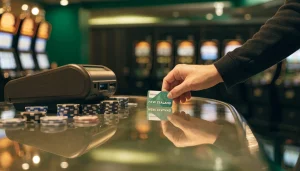
Keep the wording precise, too. If a page says a casino has games, that is not evidence that every listed title is currently available to you. If it names a payment method, that alone says nothing about the games. Read the two claims independently.
For a Kiwi user, the practical takeaway is modest: assess a casino’s content from its own lobby, and treat payment information as a different question. Don’t let a combined label stand in for either check. A tidy label, not proof.
Using Paysafecard for Real-Money Play
Using Paysafecard to fund a casino account and playing for real money are related, but they are not the same question. A payment option does not, by itself, establish that you are eligible to play, that a particular casino accepts New Zealand customers, or that you can withdraw winnings through the same route. Those points depend on the operator’s terms and the rules applying to its service.
For a Kiwi user, the legal picture is also changing. New Zealand’s Online Casino Gambling Act 2026 took effect on 1 May 2026 and introduced the country’s first domestic licensing framework for online casino gambling. The transition period runs until 1 December 2026. During that window, providers that were already serving customers in New Zealand before the Act began may continue operating, subject to the transitional rules. The full licensing regime is expected to be operating in 2027.
That means a Paysafecard payment should not be treated as proof that a casino is licensed, authorised to serve you, or suitable for real-money play. Nor does seeing a payment logo settle what happens when you want to withdraw. Read the operator’s terms on eligibility and payouts before depositing, and make sure you understand which entity is providing the gambling service. A familiar cashier screen is not a legal status check.
I would also keep the payment decision separate from the decision to play. First establish whether the operator may serve you under the rules in force; then consider whether you are comfortable with its terms and the practical limits of using that service. Before the domestic regime is fully operational, customers using offshore websites had no New Zealand government recourse if a dispute arose. That is worth weighing before real money changes hands.
A prepaid payment method can describe how funds are supplied, but it cannot answer every question about real-money access. Treat claims about eligibility, withdrawals, or a casino’s standing as matters to verify directly rather than assumptions attached to Paysafecard. Plainly put: payment is not permission.
Paysafecard for Live Casino Play
A live casino and a payment method answer different questions. Live play describes a game streamed with a human dealer; Paysafecard describes a way a player may be able to pay. Seeing one mentioned on a casino site would not, by itself, show that the other is available there.
I would keep those checks separate. A site might describe live casino play in its games area, while payment options appear elsewhere. The presence of a live section does not establish that Paysafecard can be used on that site, and a Paysafecard logo would not confirm that live games are offered. Neither detail proves the other.
That distinction matters if you are choosing a site specifically for live play. Read the live-game information on the site itself, then look at its payment details separately. If the site does not clearly explain either point, do not fill in the gap with an assumption. A general casino label, a promotional image, or a payment symbol is not enough to establish what you can actually access.

The same care applies to claims about playing in New Zealand dollars or making a small payment. Those are separate details to confirm on the relevant site; they do not tell you whether a live casino is available or whether Paysafecard is supported for it. Keep the questions narrow: does the site describe live play, and does its own payment information identify Paysafecard? One answer cannot stand in for the other.
I would not treat “live casino with Paysafecard” as a single feature unless the operator’s current information connects the two. Availability can depend on the particular site and what it offers, so avoid reading a general description as confirmation of a specific combination. No need to guess. Check the details directly, and leave the combination unconfirmed if the site does not state it clearly.
Confirm the Payment Method Before You Deposit
A casino’s general payment information is not enough to establish that PaysafeCard will work for your account. Payment options can vary, so confirm the method on the site you intend to use before you commit funds. I would treat an old review, a logo in a footer or a third-party payment list as a prompt to check, not as confirmation.

Look for PaysafeCard in the casino’s cashier and read the payment terms shown there. Check that the method is available to you, and that the conditions displayed apply to your account. If anything is unclear, ask the operator through its official support channel and keep the answer for reference. Do not share the complete prepaid PIN by email or live chat.
Also make sure you are comfortable with the site’s terms before depositing. In New Zealand, the online casino rules are changing: providers that were already operating here before 1 May 2026 may continue during the transition, which runs to 1 December 2026. That does not confirm any particular casino’s payment options.
So check directly with the operator, and do not deposit on the assumption that a method mentioned elsewhere will be available at checkout. A minute spent checking beats a payment sent to the wrong place.
Why was my Apple Pay casino deposit declined?
A gambling block on the debit or credit card linked to Apple Pay can cause the deposit to be declined.
How do I withdraw?
If the casino accepts Neteller withdrawals, select Neteller, enter the amount and submit the request. You’ll usually withdraw using the same method you deposited with, and identity checks can delay processing.
How do I join Neteller?
Create a Neteller account, provide the required information and complete verification.
Are there any fees for deposits from NZ?
Neteller deposits incur a fee of 2.5% of the payment amount. A casino may also charge its own fees, so check its terms before depositing.
How do I use Neteller at an Online Casino?
Choose Neteller in the casino cashier, select a deposit amount and approve the payment in your Neteller account. Deposits are typically credited instantly.
Payments & Deposits at New Zealand Casinos
Content created by the «casinotips-nz.com» team